If you have ever tried sleeping with a bulky smartwatch strapped to your wrist, you already know the frustration. It catches on your sheets, the screen accidentally lights up the room, and it simply isn’t comfortable. Yet, leaving it on the nightstand means missing out on crucial sleep and recovery data.
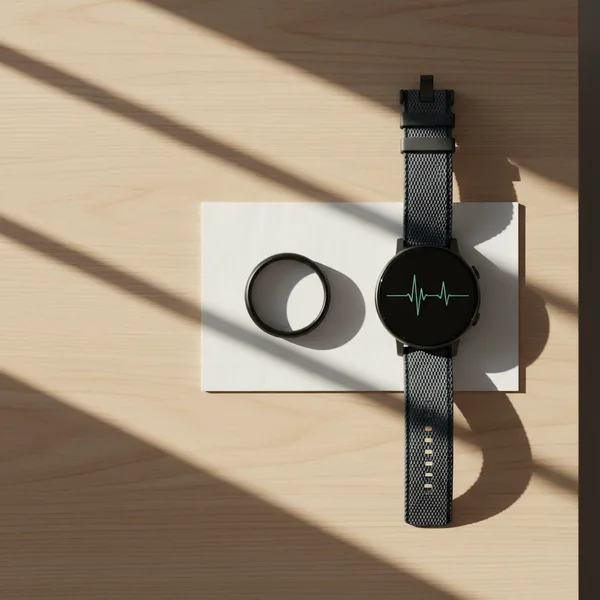
This exact dilemma has given rise to the most popular health tracking trend of 2026: the 2-device wearable combo.
By pairing a dedicated smartwatch for daytime activity with a sleek smart ring for nighttime recovery, you get the best of both worlds. However, managing multiple fitness trackers often leads to a technical headache. Without the right settings, your devices will overlap, inflating your calorie burns and double-counting your daily steps.
Here is exactly how to build the best 2-device wearable combo and master your wearable data sync without the overlap.
Master the 2-device wearable strategy by perfectly pairing a smartwatch for daytime workouts with a smart ring for nighttime recovery. Learn how to configure Apple Health and third-party apps to prevent double-counting steps and data overlap.
Why Wear Two Fitness Trackers? The 2-Device Strategy Explained
Using two different wearables might sound like overkill at first, but it solves a fundamental problem in digital health: no single device is perfect at everything.
The Day/Night Wearable Split
The most common approach to wearing multiple devices is the day/night split. During the day, you need a device with a screen. You want to see your real-time running pace, check incoming messages, and log specific workouts. A smartwatch is the undisputed king of the daytime.
At night, your needs change completely. You no longer need a screen or GPS. You need a device that is lightweight, unobtrusive, and highly sensitive to subtle changes in your body temperature and heart rate variability (HRV). This is where smart rings shine.
Actionable Fitness vs. Passive Recovery Tracking
The 2-device strategy perfectly divides your health data into two categories:
- Actionable Fitness: Smartwatches excel at active tracking. They provide real-time feedback when you are pushing your limits in the gym or on the trail.
- Passive Recovery: Smart rings excel at background monitoring. They quietly collect data on how your body recovers from the day’s stress while you sleep.
If you are serious about optimizing your nighttime recovery, pairing a smart ring with an advanced sleep environment like the Eight Sleep Pod 4 Ultra can provide even deeper insights into how temperature regulation impacts your deep sleep phases.
The Best 2-Device Wearable Combos for 2026
Depending on your goals, certain devices pair together better than others. Here are the top combinations dominating the digital health space right now.
Apple Watch + Oura Ring (The Lifestyle Combo)
This is arguably the most popular pairing available. The Apple Watch (whether you use an SE or a Series 11) is the ultimate lifestyle and fitness companion. It handles your daily activity rings, workout logging, and smart notifications flawlessly.
However, the oura ring and apple watch overlap beautifully when you transition to bedtime. The Oura Ring 4 takes over to monitor your sleep architecture and readiness score without the bulk of the watch. Because both devices integrate smoothly with iOS, managing the data overlap is straightforward once you know which settings to tweak.
Garmin + Oura Ring (The Athlete’s Choice)
For serious runners, cyclists, and triathletes, Garmin remains the gold standard for GPS accuracy and training load metrics. But Garmin watches are notoriously rugged and often uncomfortable for sleep tracking.
Pairing a Garmin with an Oura Ring gives athletes the hardcore performance data they need during the day, alongside the nuanced recovery insights required to prevent overtraining at night.
Whoop + Smartwatch (The Data Nerd Setup)
If you want continuous, 24/7 strain and recovery monitoring without a screen, the Whoop strap is a powerhouse. Many users wear a Whoop on their bicep or non-dominant wrist for pure physiological data, while wearing a traditional smartwatch (like a Pixel Watch 4 or Galaxy Watch 8) on the other wrist for cross-platform support and daily connectivity.
How to Stop Apple Health from Double-Counting Steps
The biggest complaint about wearing multiple fitness trackers is the dreaded data duplication. If you wear an Oura Ring and an Apple Watch simultaneously, or carry your iPhone in your pocket while wearing a tracker, you might notice your step count skyrocketing artificially.
Understanding Data Sources and Access
Apple Health is designed to be a central hub for all your wellness data. It aggregates information from your iPhone, your Apple Watch, and any third-party apps you have authorized.
When two devices record steps at the exact same time (for example, your Apple Watch and your iPhone), Apple Health uses a priority list to decide which data to keep and which to ignore. If your priority list is out of order, or if a third-party app is aggressively writing data, you will experience apple health double counting steps.
Step-by-Step: Prioritizing Your Devices in Apple Health
To fix this issue, you must tell Apple Health which device is the ultimate authority on your movement.
Here is how to manage health data priorities correctly:
- Open the Apple Health app on your iPhone.
- Tap the Browse tab at the bottom right.
- Select Activity, then tap on Steps.
- Scroll all the way down to the bottom and tap Data Sources & Access.
- Under the “Data Sources” section, tap Edit in the top right corner.
- You will see a list of devices and apps that can write step data. Use the three horizontal lines next to your primary device (e.g., your Apple Watch) to drag it to the very top of the list.
- Drag your secondary device (e.g., your iPhone or Oura app) directly below it.
- Tap Done.
By placing your Apple Watch at the top, Apple Health will always defer to the watch’s step count when both devices are active, completely eliminating the double-counting bug.
Syncing Garmin and Oura Ring Seamlessly
If you are using the Garmin + Oura combo, you face a slightly different challenge. Garmin Connect is a notoriously closed ecosystem. Direct integration between the two platforms is limited, meaning you cannot natively push Oura sleep data directly into Garmin’s Body Battery metric.
Using Third-Party Apps to Bridge the Gap
To successfully sync garmin and oura ring data, you need a middleman.
For iOS users, Apple Health serves as the perfect bridge. You can allow Garmin Connect to write your workout data to Apple Health, and allow the Oura app to read that data. This ensures your Oura Ring factors your intense Garmin-tracked runs into your daily Readiness Score.
Alternatively, you can use specialized dashboard apps to centralize health data from multiple sources. Apps like Bevel or Kygo Health pull metrics from both Garmin and Oura, giving you a unified view of your strain and recovery without forcing the two competing platforms to talk directly to each other.
Avoiding Calorie and Sleep Data Overlap
When using a middleman app, you still need to set clear boundaries for your data to avoid overlap.
- For Sleep: Go into your health aggregator settings and ensure Oura is the only device allowed to write sleep data. Turn off Garmin’s sleep writing permissions.
- For Active Energy/Calories: Ensure Garmin is prioritized for active energy burned, as its continuous heart rate tracking during exercise is generally more accurate than a smart ring’s.
By clearly defining which device is responsible for which metric, you can build a flawless 2-device wearable combo that delivers pristine, actionable data around the clock. If you find that your recovery metrics are still lagging even with perfect tracking, you might want to explore trending sleep supplements to help optimize your restorative rest phases.
Check out our step-by-step video tutorial on configuring Apple Health data priorities to perfect your 2-device setup.
FAQ
How do I stop Apple Health from double counting steps?
To stop Apple Health from double-counting steps, you need to prioritize your data sources. Open the Apple Health app, navigate to ‘Steps’, scroll down to ‘Data Sources & Access’, tap ‘Edit’, and drag your preferred device (like your Apple Watch) to the top of the list. This tells Apple Health to use that device’s data first when multiple devices record steps at the same time.
Can I wear an Oura ring and an Apple Watch at the same time?
Yes, wearing an Oura Ring and an Apple Watch simultaneously is a highly effective strategy. Many users prefer the Apple Watch for real-time workout tracking and notifications during the day, while relying on the Oura Ring for comfortable, highly accurate sleep and recovery tracking at night.
Does Garmin sync with Oura?
Direct synchronization between Garmin Connect and the Oura app is limited, and not all metrics will transfer natively. To sync Garmin and Oura Ring data, it is best to use a third-party aggregator like Apple Health, Strava, or specialized health dashboard apps to bridge the gap and view all your metrics in one place.
Which device should I prioritize for sleep tracking?
For the most accurate and comfortable sleep tracking, prioritize a dedicated smart ring like the Oura Ring over a bulky smartwatch. Smart rings are specifically designed to monitor passive recovery metrics like heart rate variability (HRV), blood oxygen, and temperature trends with minimal nighttime disruption.
Disclaimer: The information provided in this article is for educational and informational purposes only. It does not constitute medical advice, diagnosis, or treatment. Always consult with a qualified healthcare provider regarding any questions you may have about a medical condition or health tracking metrics.